A quick note before you start: I wrote this post during the hackathon, before fine-tuning the model. The current production state (with a new model) is described in the Update section at the end.
I know I was supposed to describe the next experiments I’m running as part of EDGE AI, but last Wednesday an email from Hugging Face landed in my inbox with news about the Build Small Hackathon. I have to admit this hackathon is special, because the central theme is small models up to 32B. Could there have been a more interesting topic? I honestly doubt it!
Where did the idea come from?
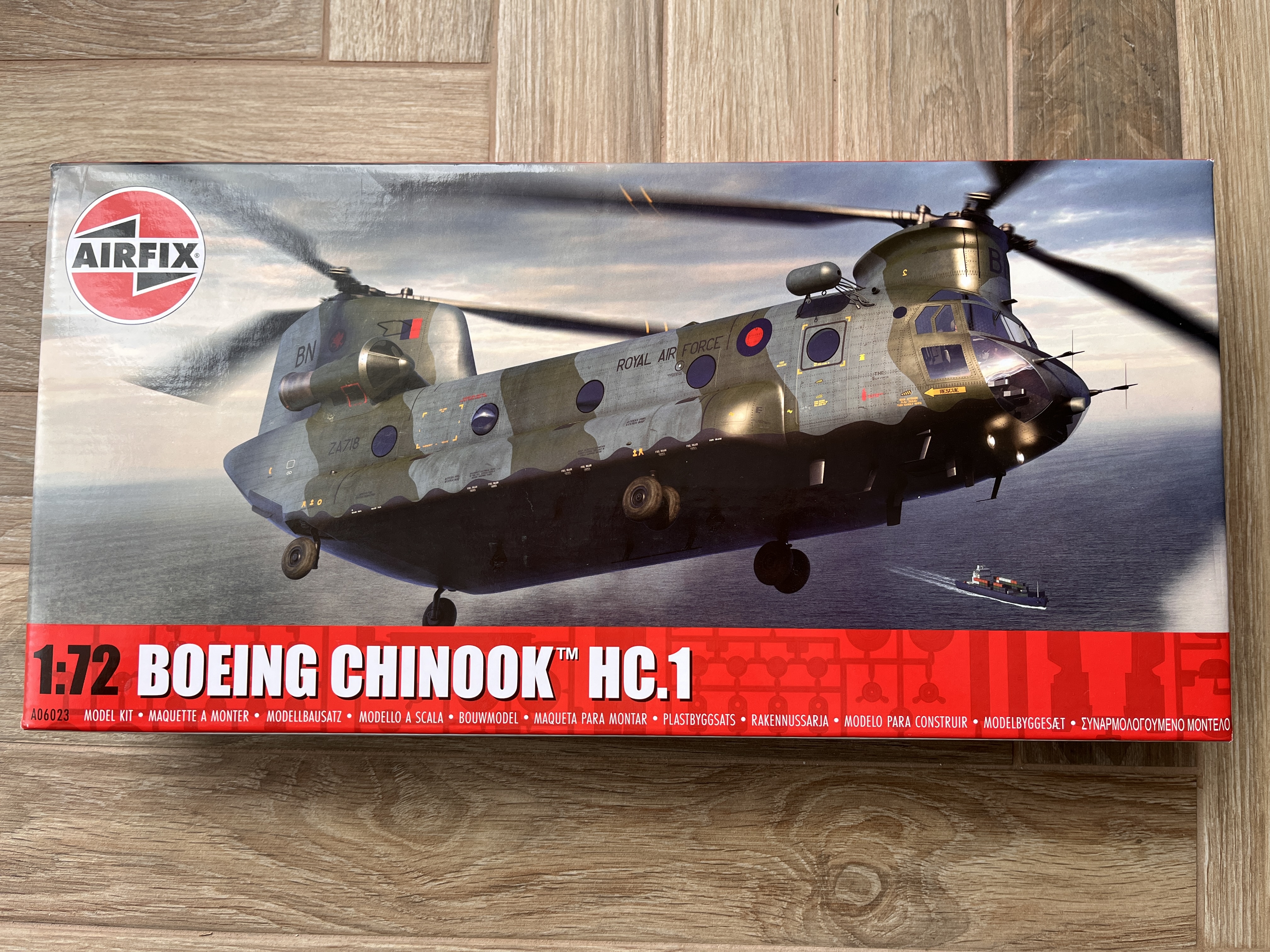
As a teenager, I loved the game Airfix Dogfighter, created by the Swedish studios Unique Development Studios and Paradox Entertainment under an Airfix license. 26 years after the game’s release, I’m still closely tied to the Airfix brand, because it’s one of my favorite model kit manufacturers. Yes, I’m a scale modeler. I love building plastic kits, because it’s a perfect escape from the computer. Plus, it’s nice to see the physical results of your work.
What did I build?
Even though I like Airfix kits, I’m unfortunately not a fan of their standard Humbrol paints. It’s a bit like Coke vs. Pepsi. Everyone has their own preferences. I prefer Tamiya paints over Humbrol, but the color conversion always annoys me. For example: silver from Humbrol is 11 Silver, but the Tamiya equivalent is X-11 Chrome Silver Gloss. So why not make life easier and automatically convert Airfix codes to Tamiya codes from a photo or a screenshot? On top of that, the UI theme could be the game I played to death as a kid — and there’s the hackathon concept, ready to go: Paint Match.
Below, the first logo that was meant to go into the project.

How does it work?
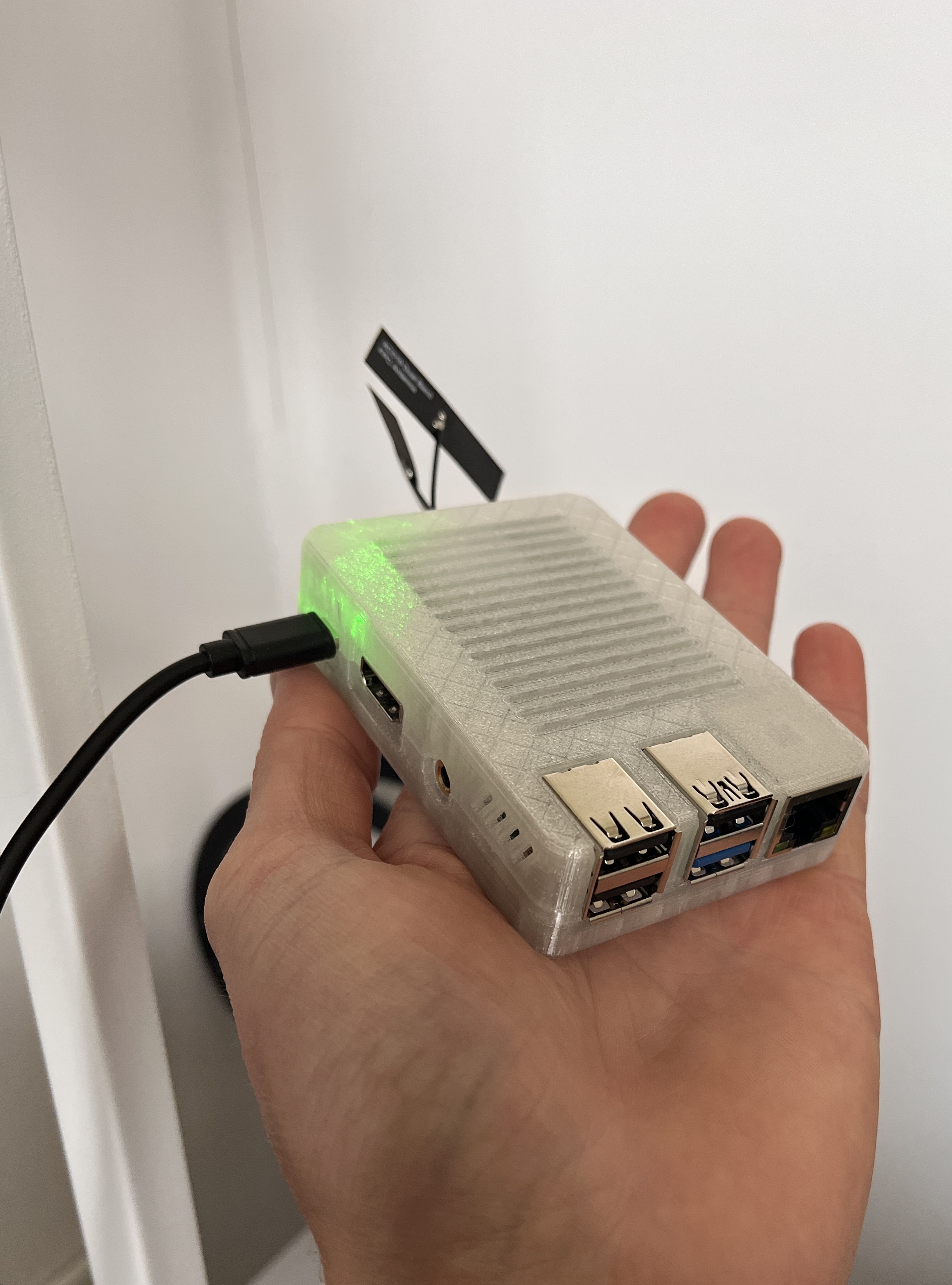
The HF Space orchestrates everything, the Radxa serves only the model. The Gradio app on the Space calls the Radxa for inference through a Cloudflare Tunnel, merges the results with the inventory from Google Sheets, and returns everything to the UI.
[User's phone/computer]
         ↓
[HF Space - Gradio UI + backend]
    ↓                    ↓ (Cloudflare Tunnel)
[Google Sheets]    [Radxa Q6A - llama-server + InternVL3.5-2B]
 paint inventory          inference
The inventory is pulled from Sheets once, when the Space starts. It could be a JSON file in the repo, but then every change would require a commit and a redeploy — Sheets lets me update the stock from my phone.
How did I pick the model?
From the very beginning, I assumed the project would be built with the “Off the grid” badge in mind, so I knew I had to find a model that would fit my Radxa Q6A dev board. Despite the beautiful website, in my case the Radxa is a CPU-only board, because on Armbian, which I use, the Vulkan library isn’t supported yet. The situation is similar with the NPU module — it’s supported by the manufacturer’s official Radxa OS, and the number of available models is very small.
In any case, this was the first time I had the chance to test a vision-capable model on it. Up until now, I’d mostly been using text models. I started the whole thing with research into possible models. The final shortlist looked like this:
- moondream2-1.5B
- SmolVLM2-2.2B
- InternVL3.5-2B
- Gemma 4 E4B
An attentive reader will immediately notice that one model stands out from the rest. I admit, Gemma made the list because it was fresh and I wanted to try it.
The tests were run on 10 files split into 2 equal groups: photos of instruction sheets and screenshots from the official Airfix store. In the tests, I mainly wanted to check 3 aspects: hallucinations, accuracy, and latency. Even though I usually try to give concrete numbers in benchmarks, this time I can’t do that for two of the tested models. moondream2 and SmolVLM2 completely failed at reading paint codes. They usually confused numbers with colors or got stuck in loops while generating answers, producing hallucinations in the form of listing consecutive, sequential numbers. With Gemma, the situation was quite the opposite — the model handled my examples brilliantly, but only after I raised the response timeout from 300s to 600s. I decided that such high latency just wasn’t worth it. The last one standing was InternVL3.5-2B, and that was my biggest surprise:
- F1 = 0.87
- P = 0.95 (Precision)
- R = 0.81 (Recall)
In other words: the model rarely invents codes that aren’t there, but sometimes it doesn’t catch all the ones that are. Unfortunately, due to the CPU-only board, the average processing latency across all images was ~194s. The processing time itself would have been longer, but during testing I experimented with image resizing and I think I found the sweet spot. Screenshots are sent at 640px, but thanks to their good quality, such a small size doesn’t have much impact on the final output. Phone photos were initially scaled to 640px as well, but this type of image is prone to all kinds of distortions (lighting, distance from the instruction sheet), so in the end this type of image is downscaled to 960px. With a model this small, details like these matter. Another problem that needed addressing was the response format, because without strict rules the model managed to generate a different output format every single time. I started with a GBNF constraint, but at temperature 0 the model unfortunately got stuck in hallucination loops and couldn’t generate the final end of stream (EOS) token. The fix was implementing a JSON schema.
To wrap up this section, I’ll mention the prompt, because it was one of the bigger surprises while working with this model. The final prompt is: List every paint code visible in this image.. I don’t want to lie, but this is one of the shortest prompts I use in any of my applications. Of course, its length has a justification. For example, a more detailed prompt — List every paint code visible in this image. Output one per line, exactly as - CODE: NAME, and nothing else. — degraded the output quality and introduced more randomness into the model’s responses. After a few attempts with different combinations, I stuck with the simplest version.
What does it look like?
For the hackathon, I prepared two versions of the UI. Version one used default Gradio components and looked like a standard Gradio app: boring.
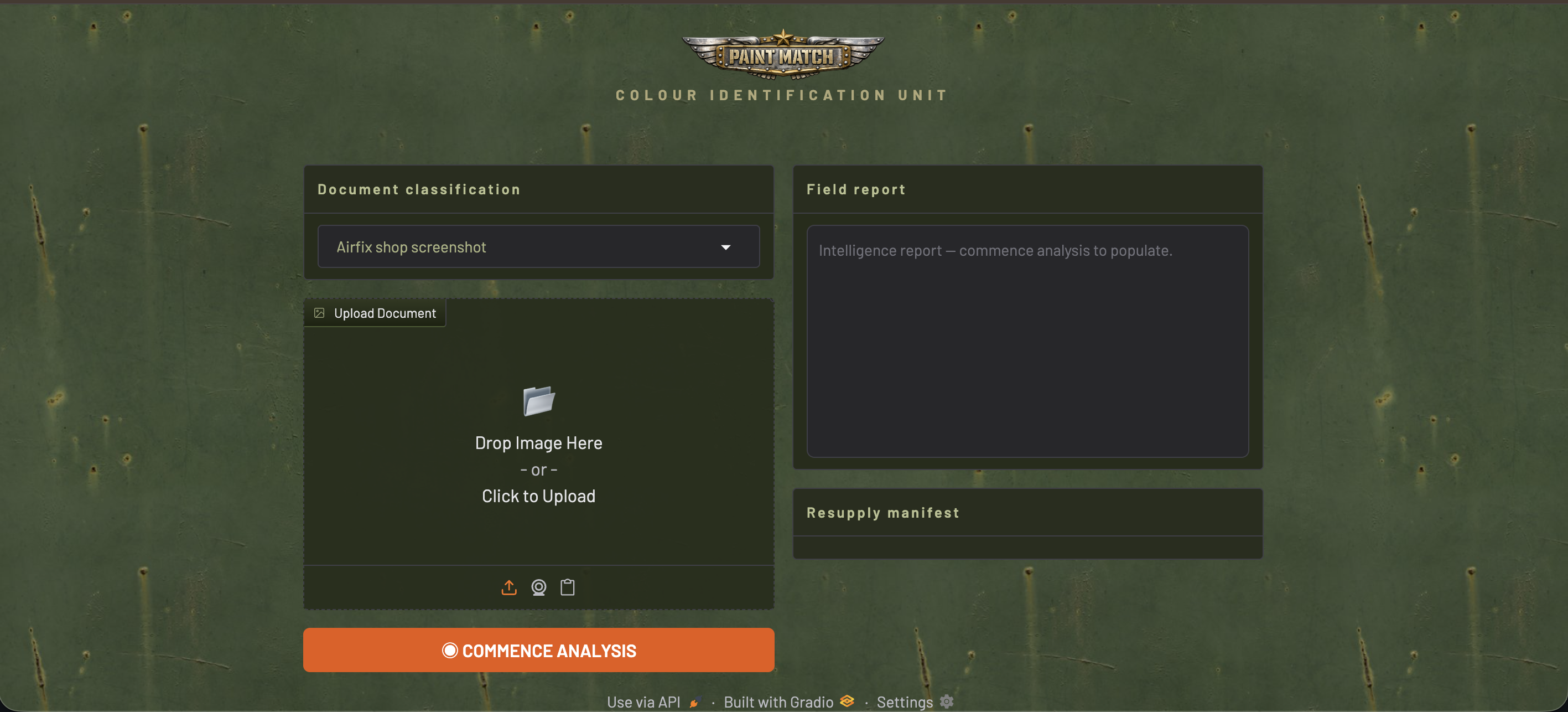
I concluded that I wouldn’t conquer the world with a design like that, so I prepared version two, which captured the early-2000s vibe and the Airfix Dogfighter feel much better. In this version, I also added more elements with a military flavor:
- Upload Document — after loading a file, it turns into an “Exhibit A - Recovered Document” frame with the photo and a RECEIVED stamp. During analysis, an animated green scanner line sweeps across the document.
- Field Report — when idle: an animated radar. During analysis: pulsing status messages. When done: the raw model output.
- Resupply Manifest — a list of paints with links to the mojehobby.pl store. Paints I already own are marked with a green ✓ ISSUED label instead of a link.
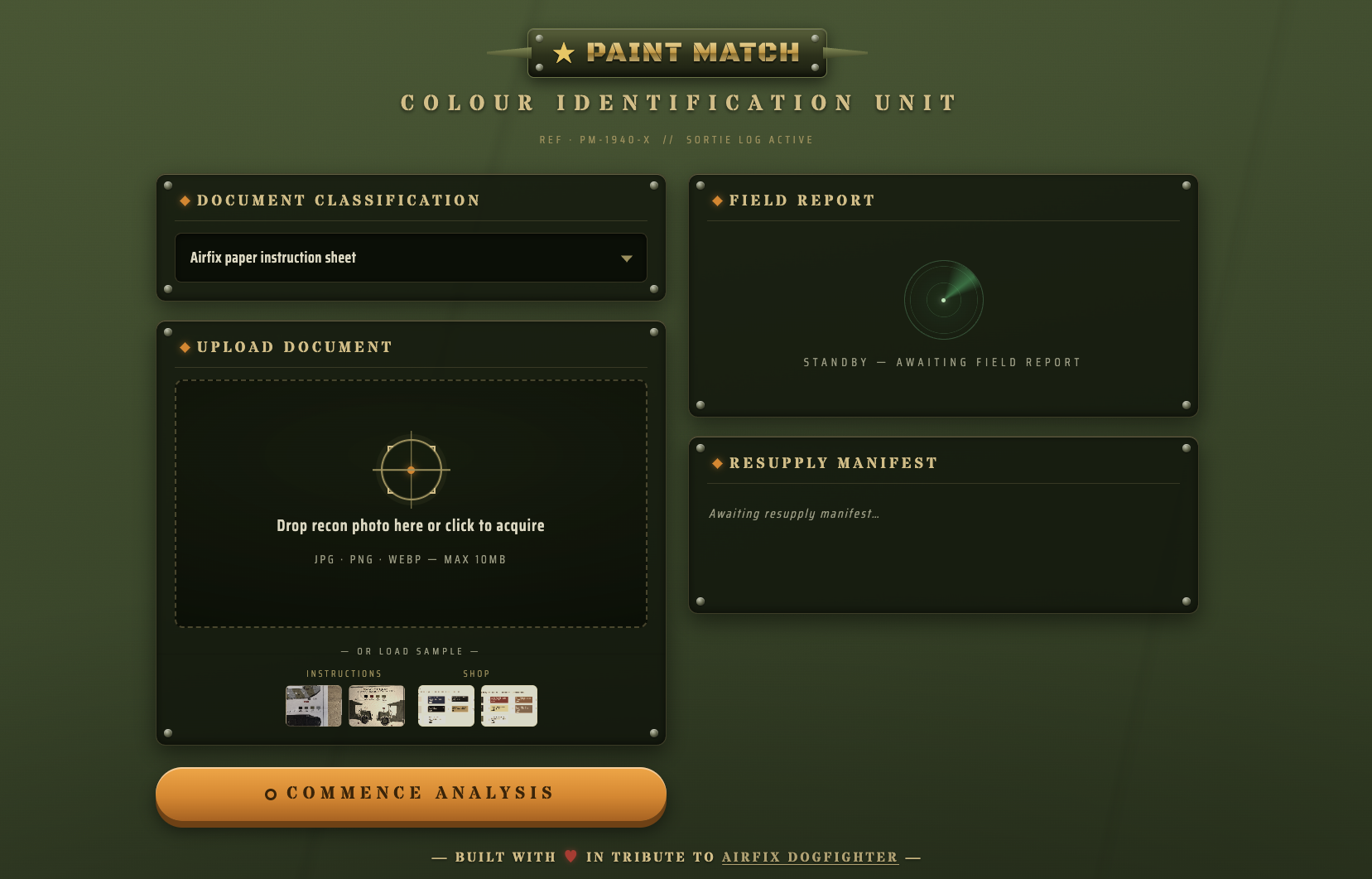
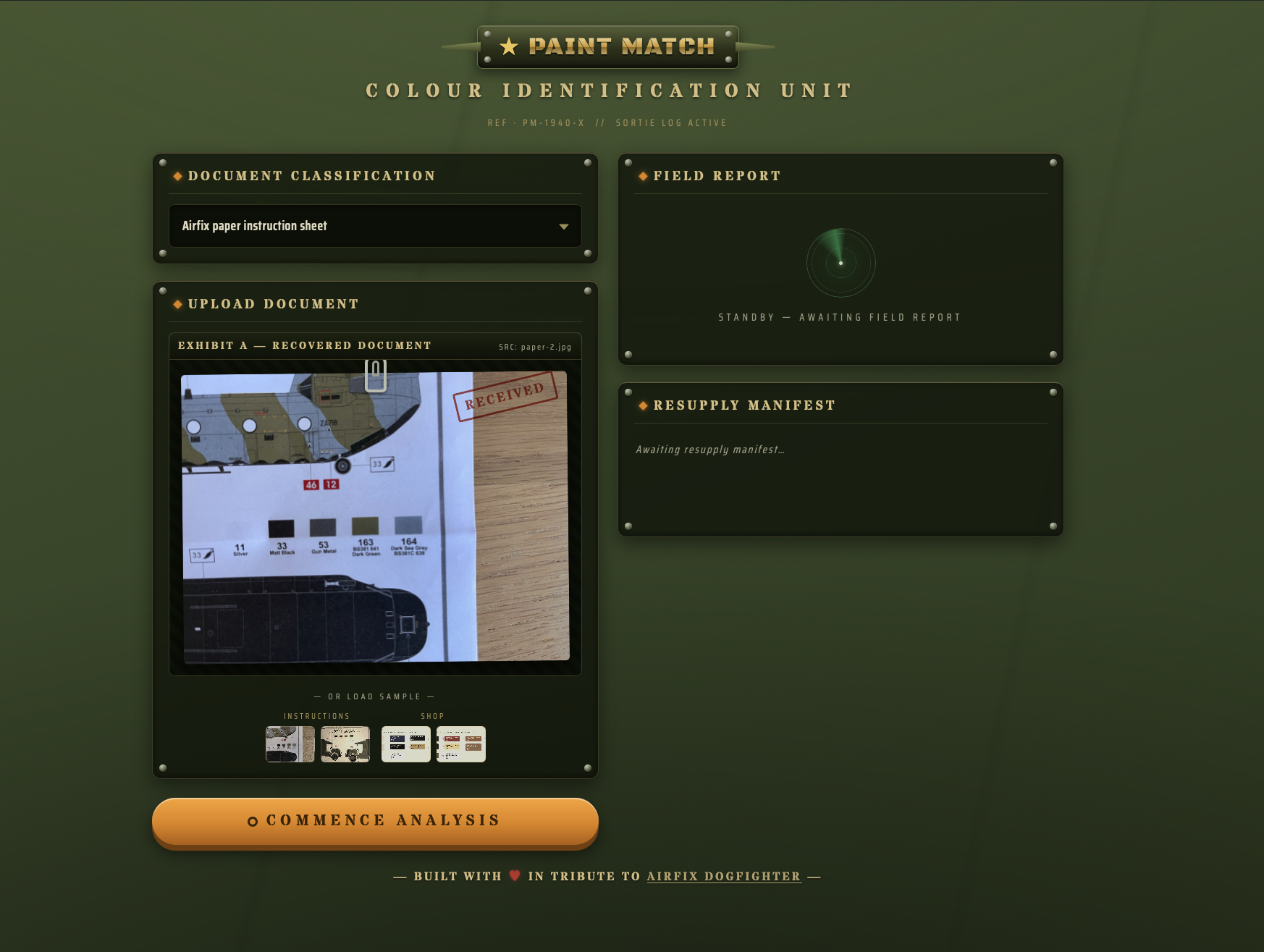
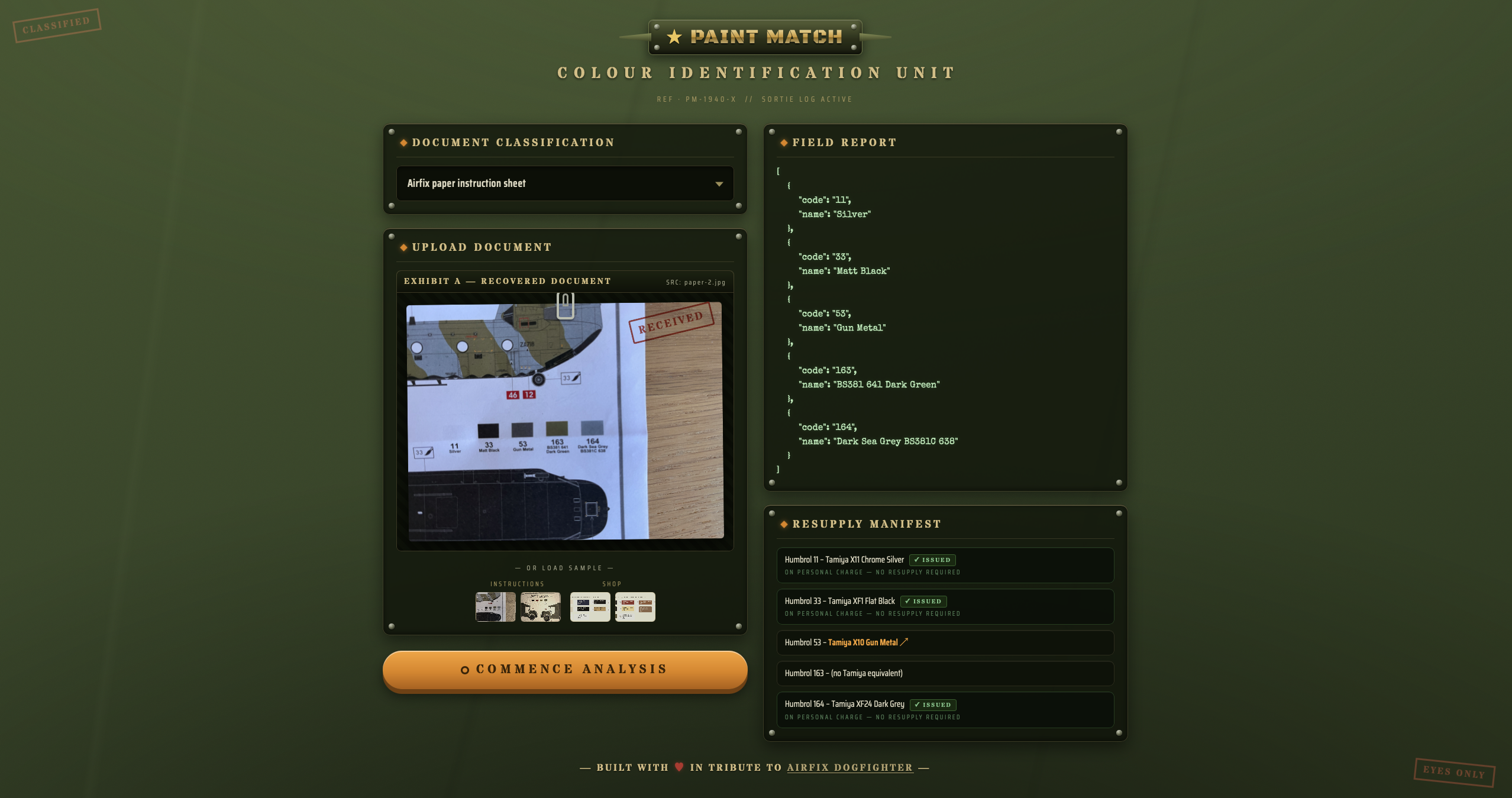
The whole thing is best checked out directly in the app: Paint Match HF Space. The app is fully responsive, which is key here — instruction sheet photos are mostly taken with a phone, right at the modeling bench.
What’s next?
The app can be developed in two directions. From a technical standpoint, there’s no hiding it: a 2B model makes mistakes, especially with lower-quality photos. The solution would be deploying a better model, but with the current hardware it makes no sense due to the high latency. I’ve already verified this with Gemma E4B — it dropped out of the tests because of latency. The best solution would be switching boards and evaluating larger models. Without a hardware change, the only direction is fine-tuning the model to read codes better.
On the functionality side, two things are worth mentioning: adding more manufacturers (Vallejo, AK, Hataka) and visual color comparison based on HEX values. Names alone can be misleading — Humbrol Silver and Tamiya Silver are not necessarily the same shade, and the right color match might be called something entirely different (e.g. Silver Steel Matt).
Summary
This was my first time taking part in a hackathon, and I regret not doing it sooner. I was surprised by the number of decisions that had to be made for such a small project. On top of that, the hackathon format forces you to stick hard to previously set priorities. Coming up with new features is very easy, but implementing them sensibly is a different story. The cherry on top was using a vision model for the first time — and I have a feeling it won’t be the last. Am I happy with the final result? You bet!
Update: fine-tuning and a sponsor prize pool
I wrapped up the required hackathon steps faster than I expected, so a few days were left before the deadline, which I used for two additional things: fine-tuning (a separate badge) and swapping the base model for MiniCPM-V-4.6 (a separate sponsor prize pool) — which is now running in production on the Radxa.
MiniCPM-V-4.6 is a 1B model in a hybrid Qwen3.5-Mamba architecture — lighter than InternVL3.5-2B and with a better F1 even before fine-tuning on my benchmark (0.920 vs. 0.87). The fine-tuning itself was LoRA on Modal.com with an H100, 16 minutes of training and a few dollars. The training set was 391 examples (242 from Airfix store screenshots + 192 from paper instructions after augmentation), with test sets kept separate.
Results (after fine-tuning):
| Set | F1 |
|---|---|
| Benchmark, 10 images | 0.935 (up from 0.920) |
| HF Space examples (4 images) | 1.000 |
| Shop test set (53 images) | 0.927 |
| Paper instructions test set (7 images) | 0.928 |
Latency on the Radxa dropped from ~194s to ~60s — three times faster than the previous model.
There’s one image the model still gets wrong: a Chinook, where decal numbers in red squares look visually identical to paint codes. Acceptable for a 1B model, but a clear weakness to address next.